Menu card manager
Create multiple menus, track item counts, and open public pages in one click.
 stage-menu-card
Design menu cards with multiple layout themes, brand colors and media, import items from spreadsheets, and publish shareable links with QR codes — in any language.
Six layout themes
Classic, Bistro, Gallery, Compact, tabs, and vertical navigation.
Live preview
See your menu update in real time as you edit theme and items.
Publish & QR
Share a public link and download QR codes as PNG or PDF.
Sign in with your platform account to create, brand, and publish digital menu cards for your workspace.
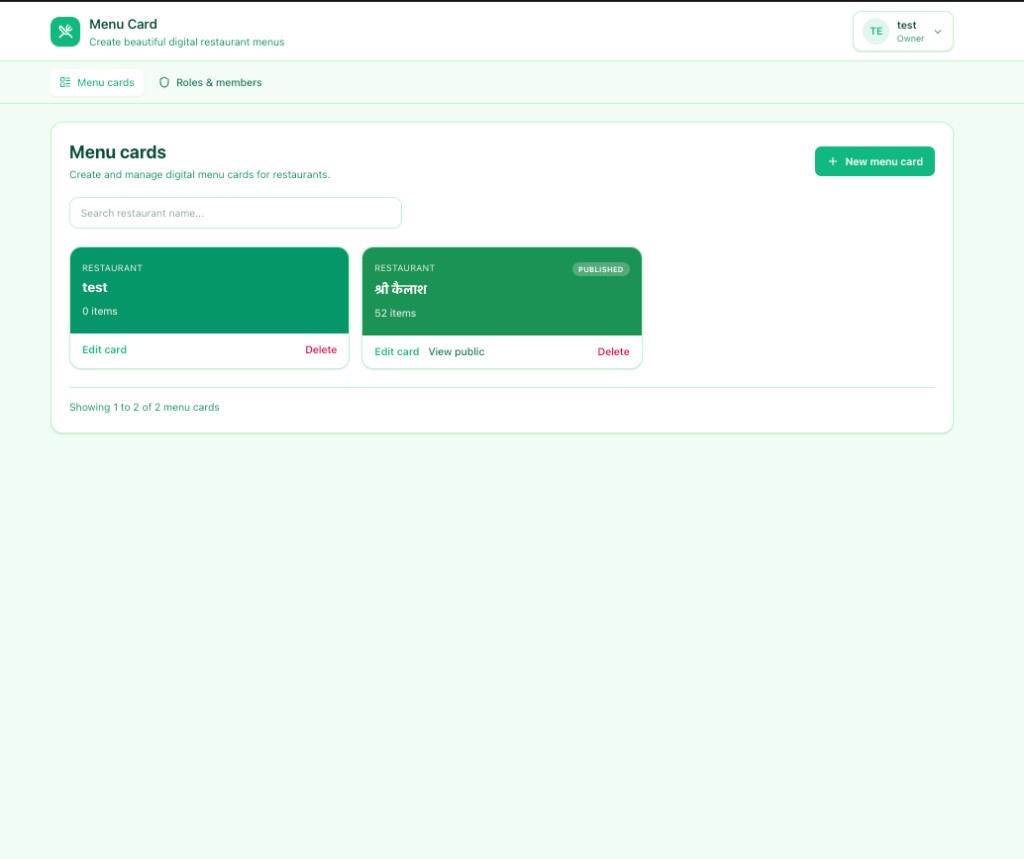
Real screens from the app — menu cards, theme editor, branding, import, and publishing.
Swipe to explore
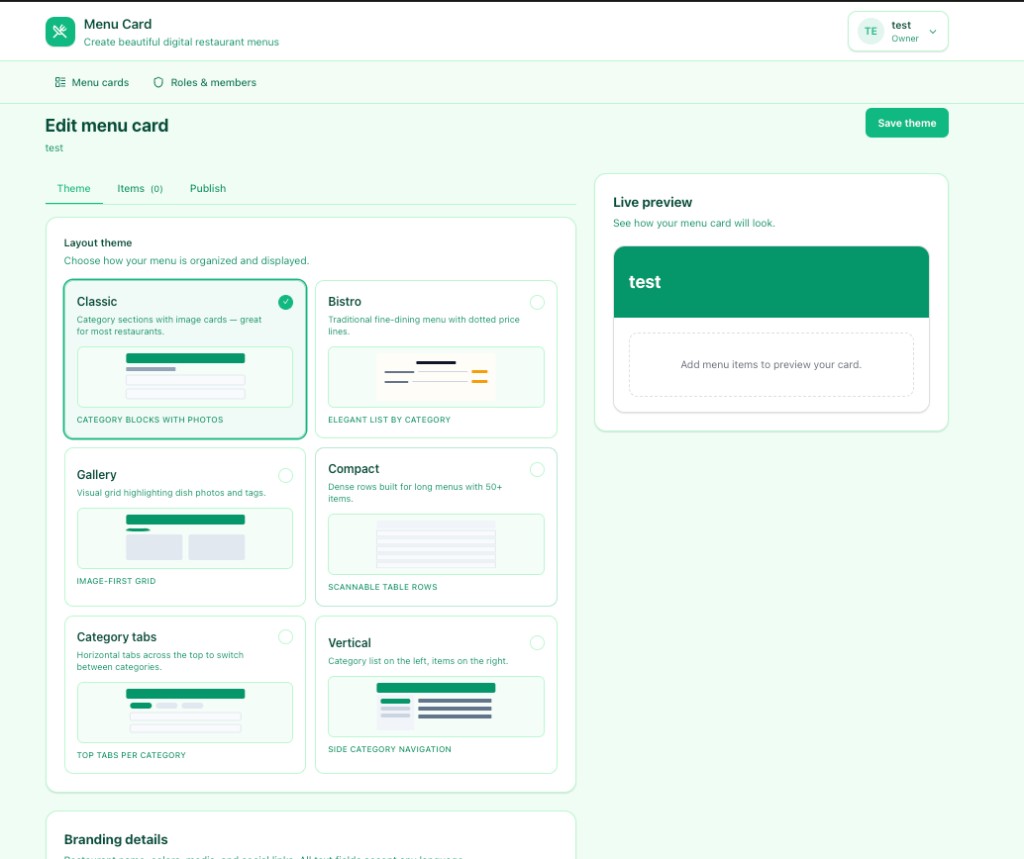
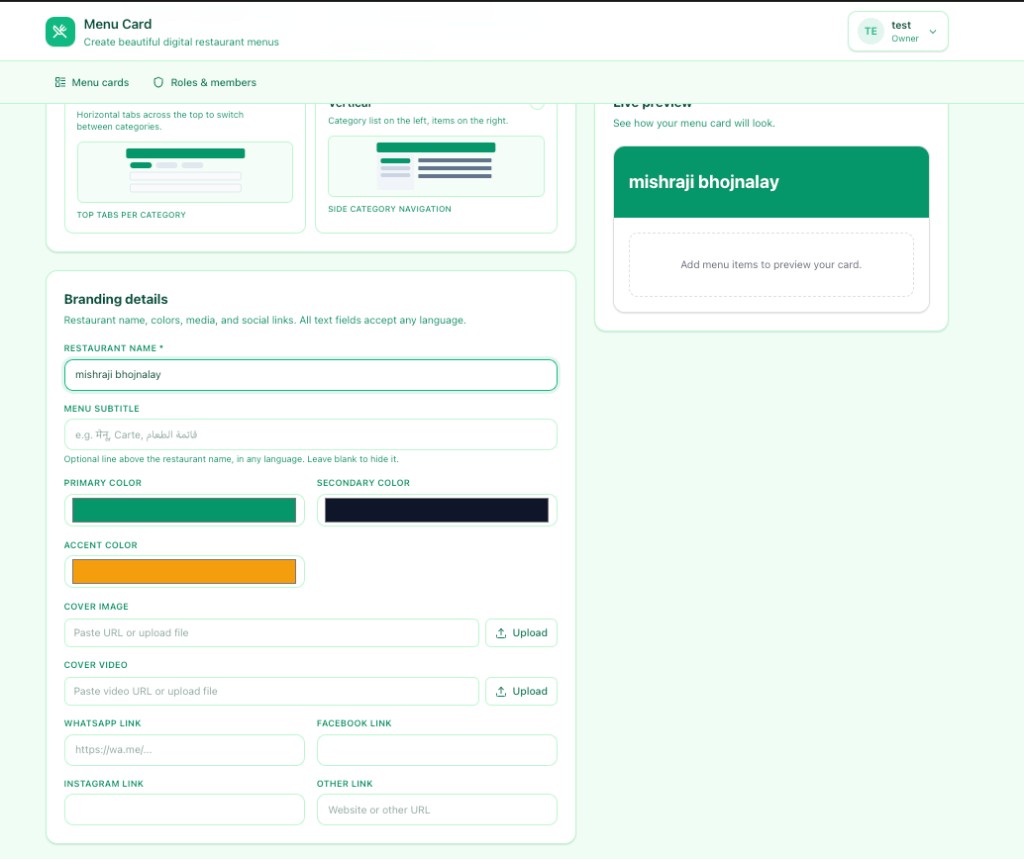
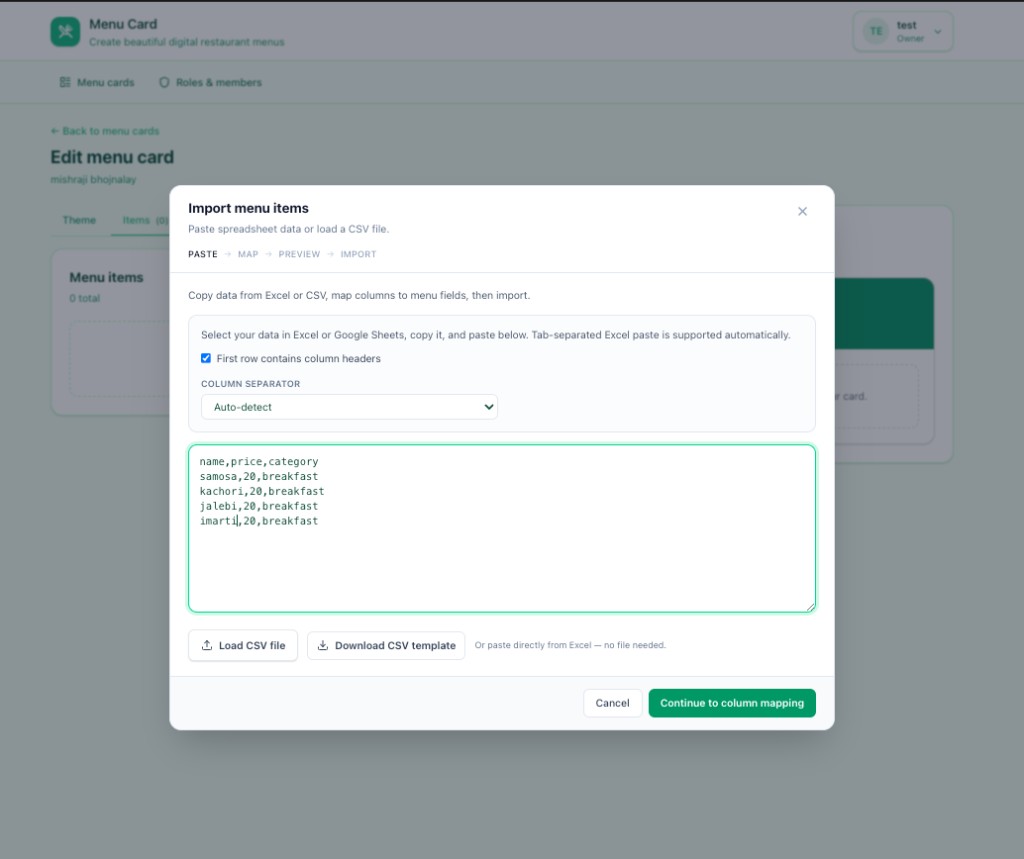
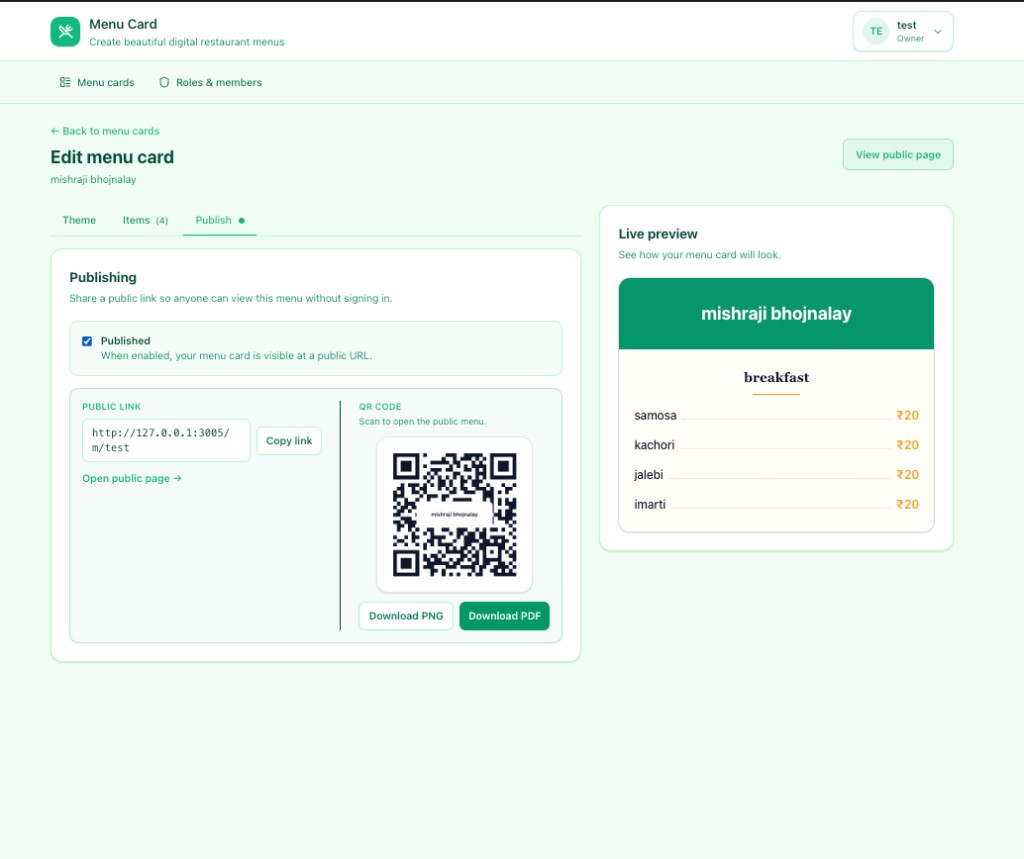
From design to publish — everything your restaurant needs for a polished digital menu.
Create multiple menus, track item counts, and open public pages in one click.
Choose Classic, Bistro, Gallery, Compact, category tabs, or vertical navigation.
Set restaurant name, colors, cover image or video, and social links in any language.
Paste spreadsheet data, map columns, and import dozens of items at once.
Publish menus anyone can view — copy the link or download QR codes.
Control who can edit menus, manage items, or publish for your workspace.